Your Revenue Workflows,
Built to Execute.
Describe your sales process in plain English.
Aitoa compiles it into a deterministic, SLA-aware execution engine — reply-gated, business-hour aware, and reliable by design.





Revenue Ops Break When
Execution Isn't Enforced
Your CRM stores records. Your spreadsheets track status. But neither enforces what happens next — and that gap costs deals, every day.
Missed Follow-Ups
Leads sit in your CRM without action because no system forced the next step. A human forgot. An automation misfired. Nothing happened.
SLAs Tracked Manually
Response time targets live in someone's head or a spreadsheet. There's no system watching the clock and escalating when it's breached.
Escalation Arrives Too Late
By the time the right person is alerted, the window has closed. The delay isn't laziness — it's structural. No enforcement layer exists.
Automations Without State
Your existing tools fire and forget. They don't know if a message was replied to, can't pause on override, and don't recover from failure.
Replies Slip Through Undetected
A lead responds on SMS or WhatsApp while email follow-ups keep firing. Without a unified reply gate across every channel, you keep messaging someone who already said yes.
No Draft — Just a Waiting Inbox
When a lead replies, someone has to read it and write back manually. No system drafts a contextual response, routes it for approval, or logs what was sent — the reply just sits.
There is a structural difference — and it compounds.
Every Screen Built Around
Execution Reliability
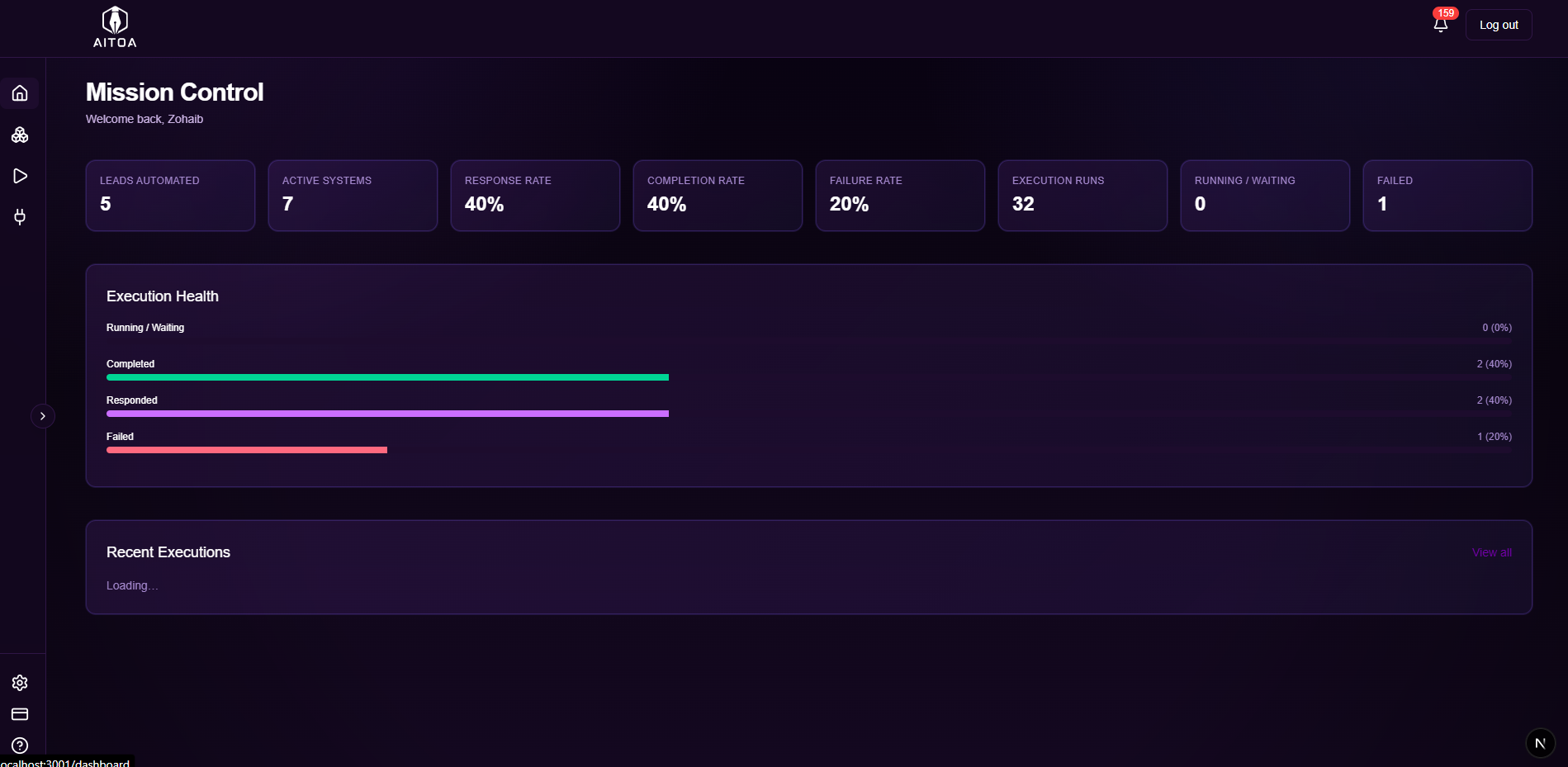
See the actual product — from Systems to Execution timelines to Mission Control.
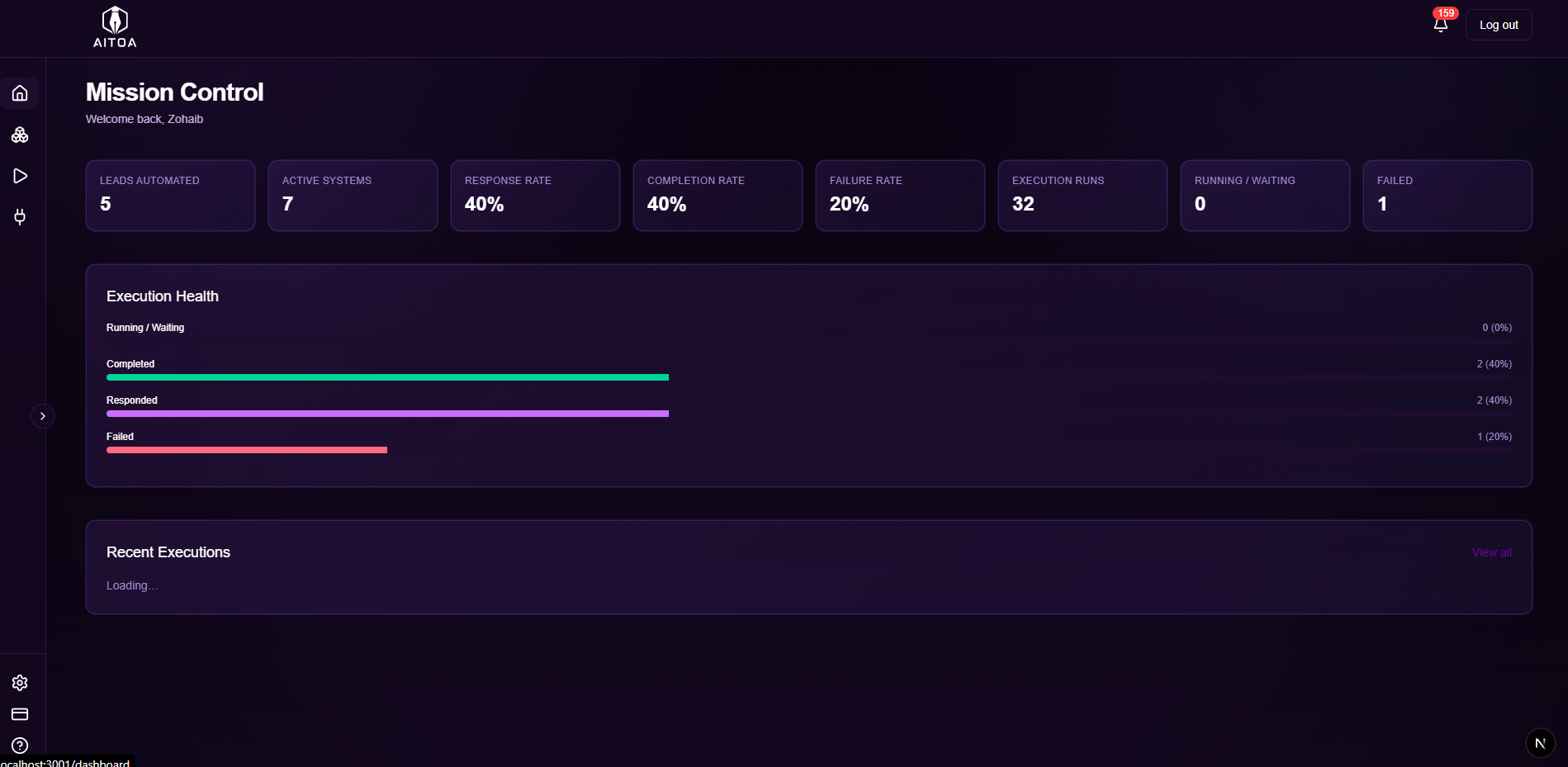
Mission Control
Your operational command centre — real-time metrics across leads automated, active systems, response rate, completion rate, failure rate, and every recent execution.
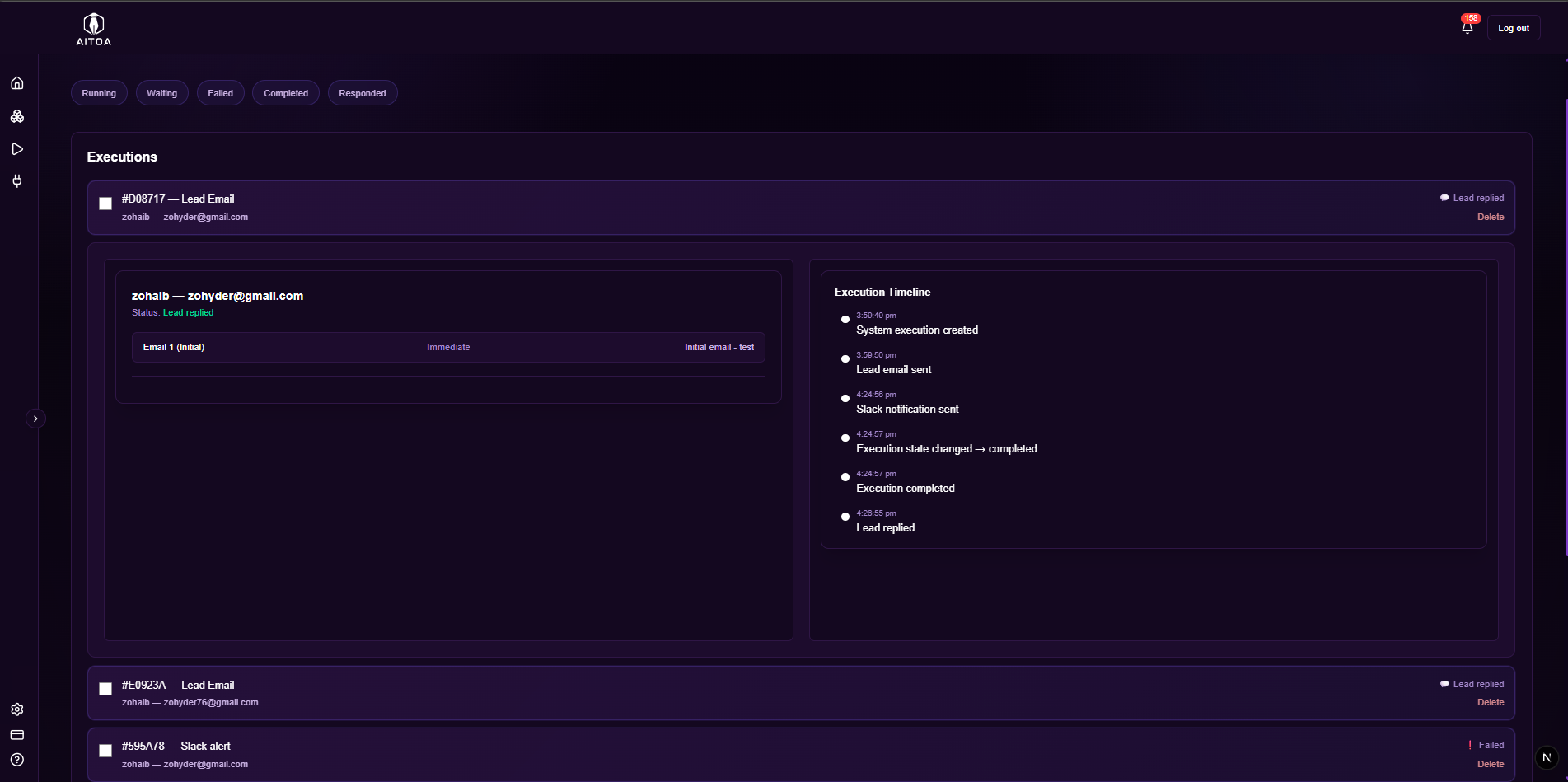
Execution Timeline
Per-lead execution history with timestamped events: system created → email sent → voice call placed → Slack notification → state changed → execution completed.
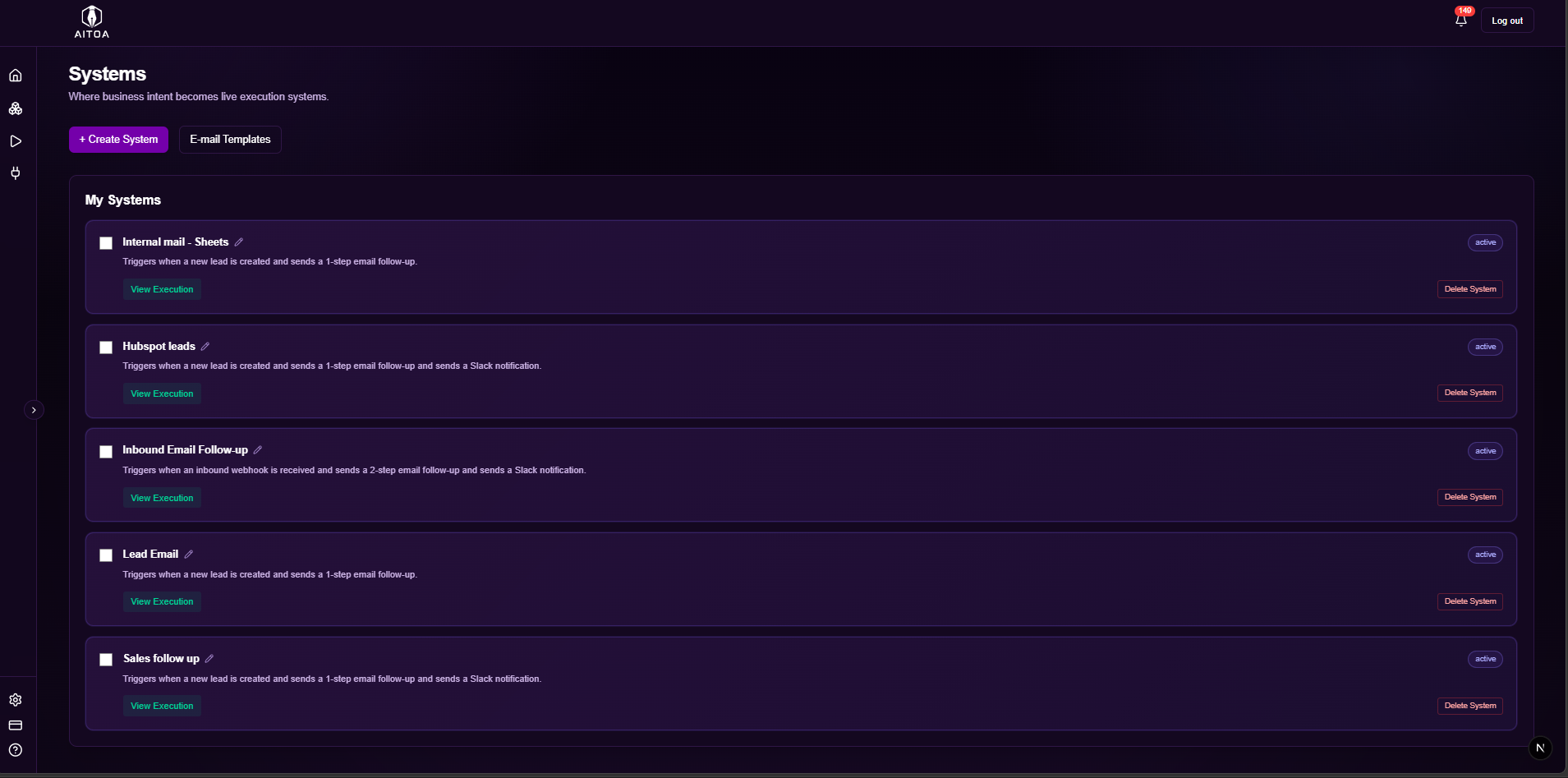
Systems
Your compiled workflow library. Each system is a deterministic blueprint — named, described, and actively running against new leads.
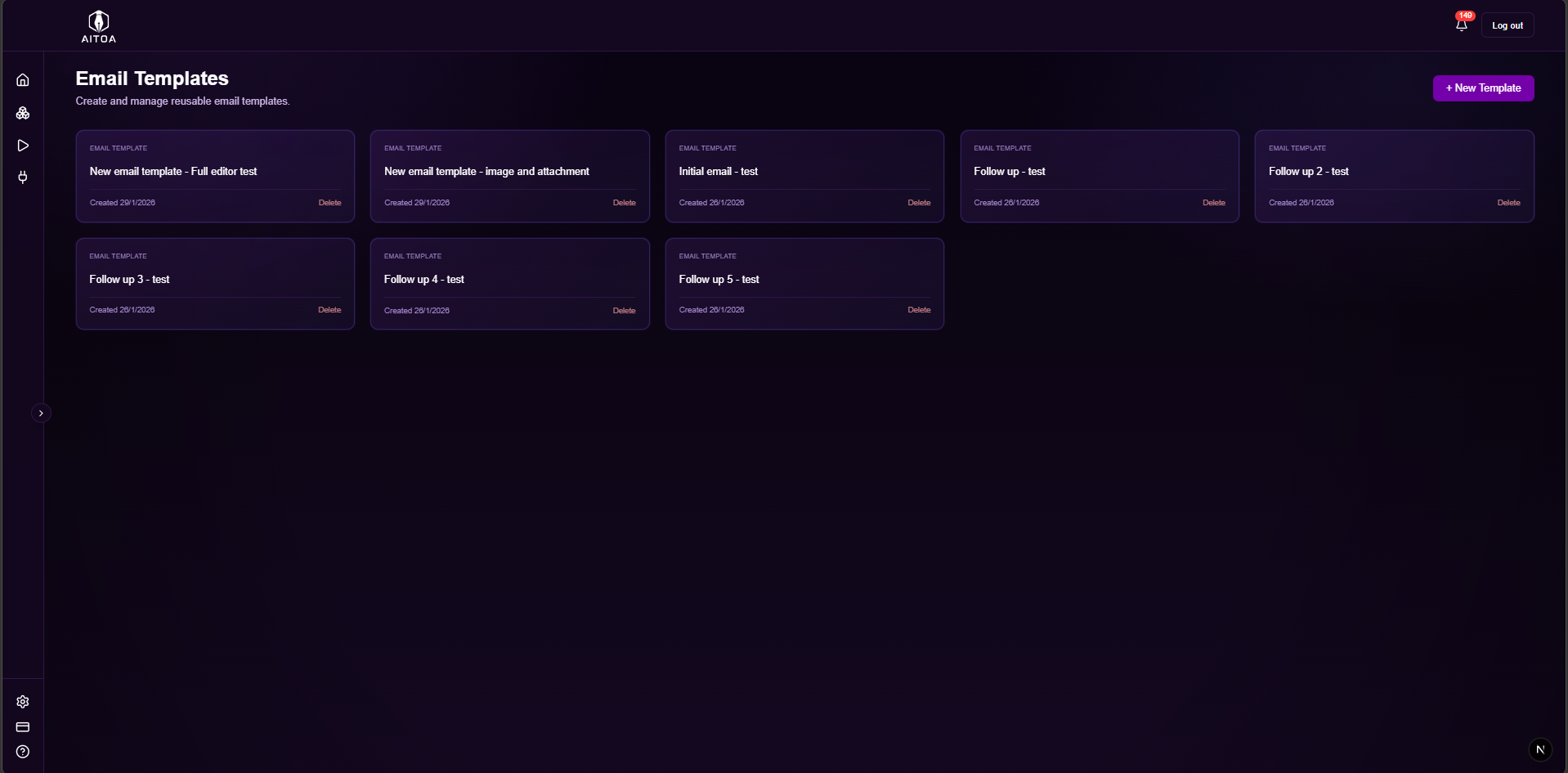
Email Templates
Reusable email templates attached to your systems at compile time. Initial outreach, follow-ups 1–5, and more — all resolved into the blueprint before execution starts.
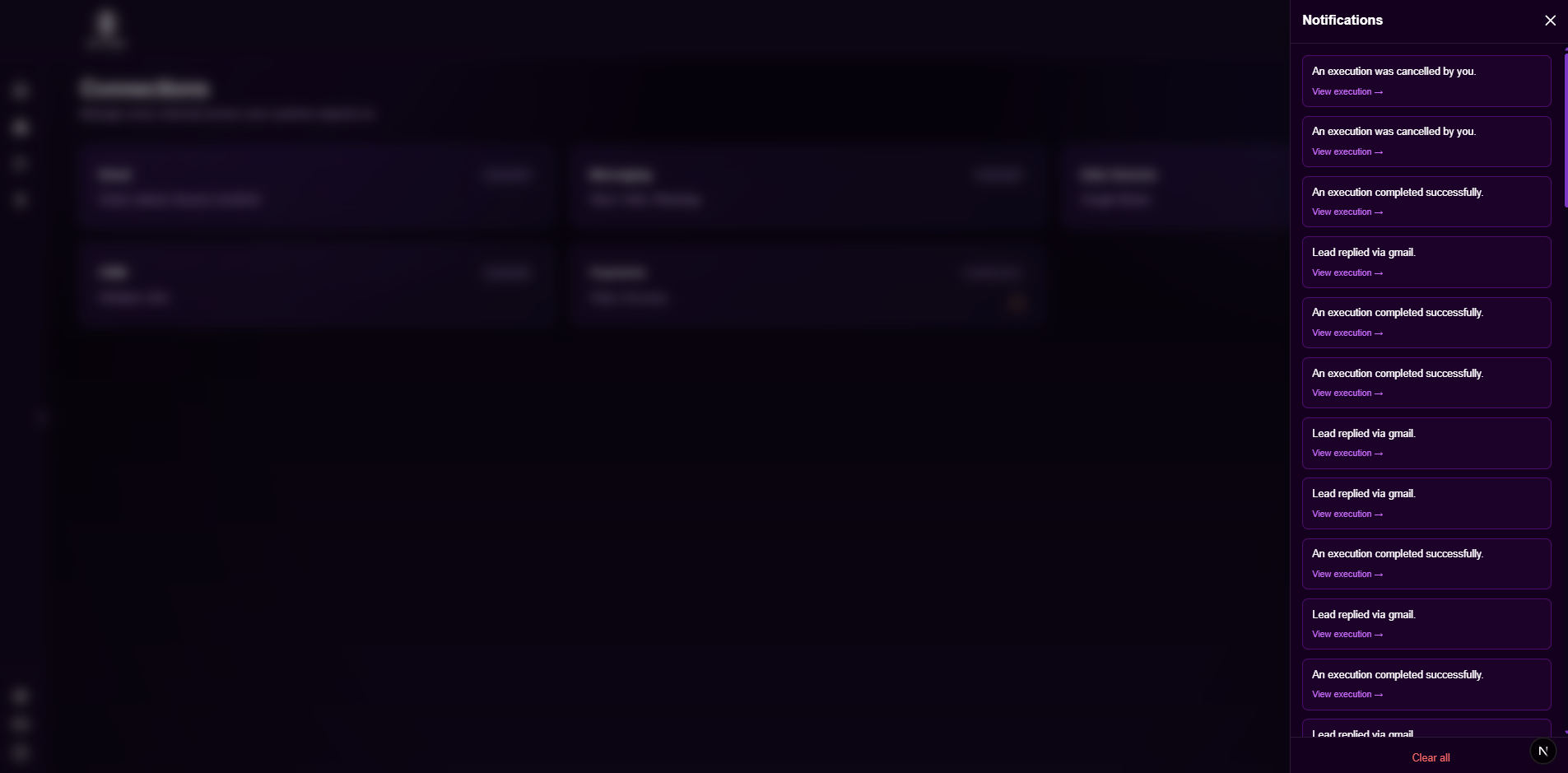
Real-Time Notifications
A live feed of execution events — lead replied, execution completed, execution cancelled. Every significant state change surfaces instantly.
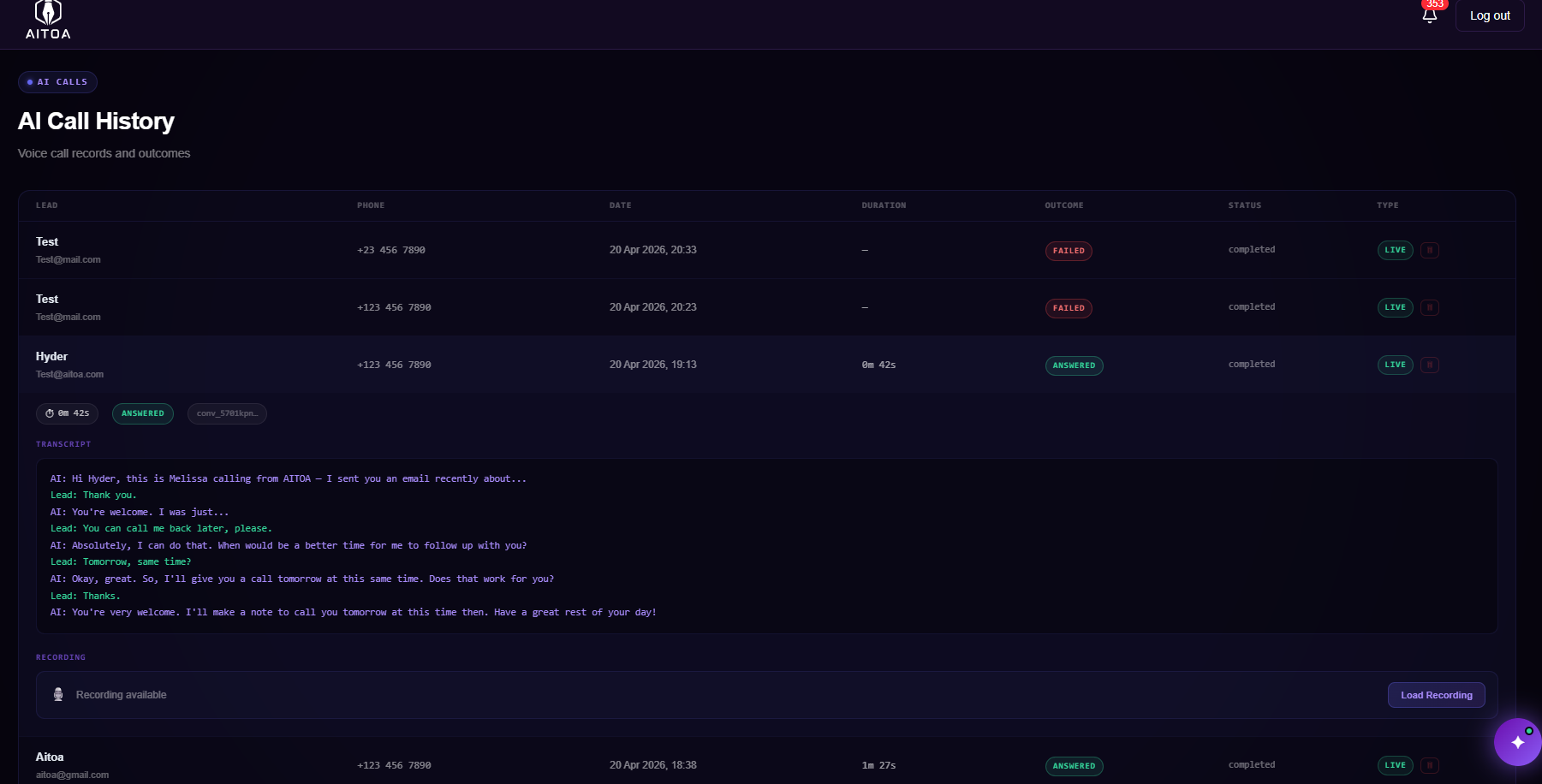
AI Voice Calls
AITOA places an outbound AI call using your configured voice agent. The agent speaks naturally, responds to the lead in real time, and logs the outcome — answered, voicemail, no-answer, or busy — against every execution. Full call logs available per lead.
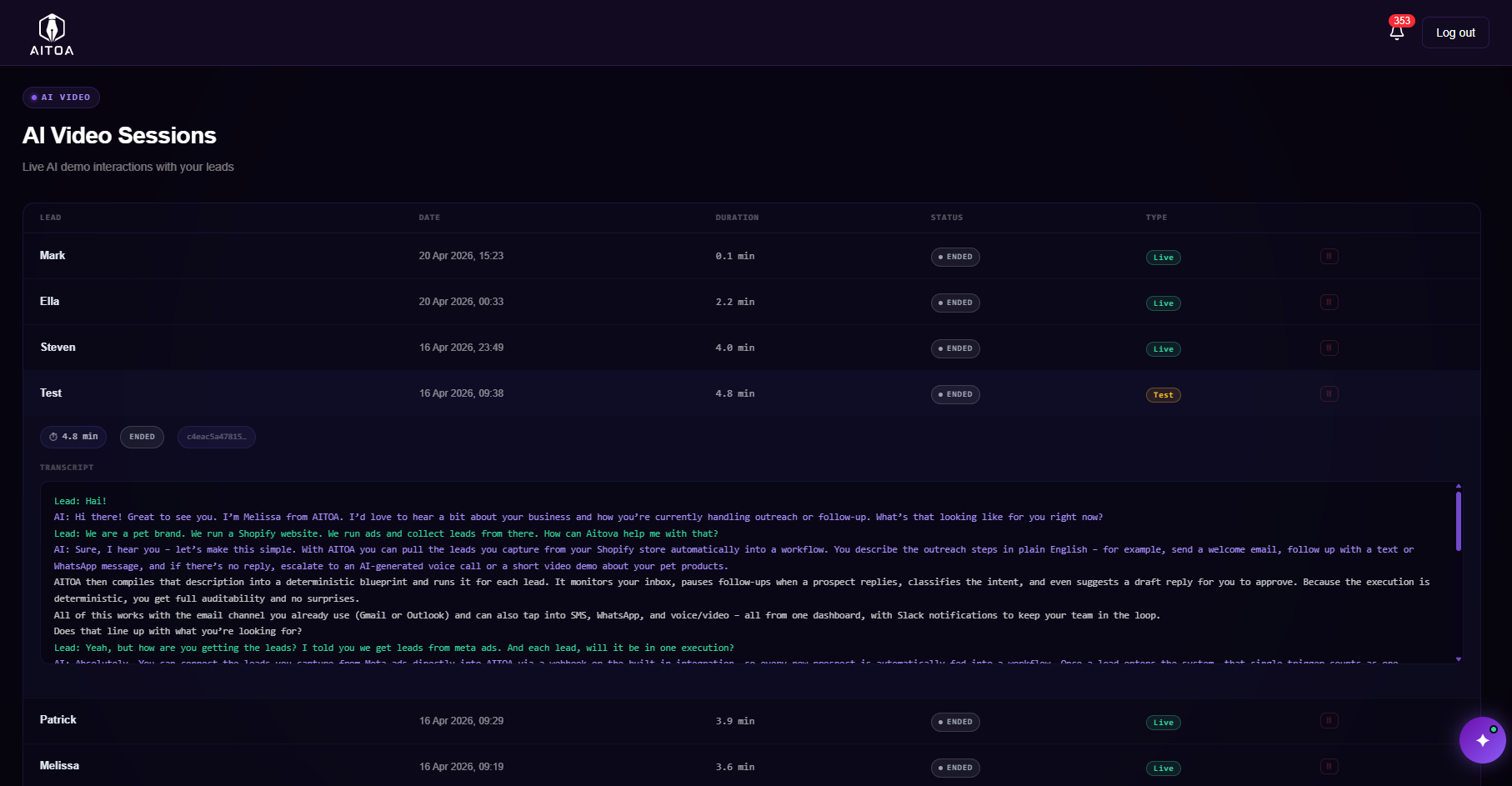
Live AI Video Demos
Send a tokenised demo link to any lead. When they click it, a live AI video agent walks them through your product, answers objections in real time, and qualifies intent — no scheduling, no calendar friction, no rep required.
Describe Once.
Execute Forever.
AI is used exactly once — at compile time. After that, execution is fully deterministic, state-tracked, and observable.
Write Your Workflow in Plain English
No drag-and-drop builder. No rules engine. Just describe what should happen — who gets contacted, when, via which channels, and what triggers escalation.
- Natural language prompt-driven input
- AI resolves intent into a structured blueprint at compile time
- Choose channels: email, voice, SMS, WhatsApp, video, Slack
- You preview and confirm the compiled plan before activation
- Zero AI calls once the engine is running
Attach Lead Sources and Channels
Connect HubSpot, Google Sheets, Apollo, HighLevel, or Salesforce — or upload leads manually via CSV. Aitoa injects each entity into the execution engine and begins the workflow automatically.
- HubSpot (new leads, existing, or both)
- Google Sheets via Drive picker
- Apollo, HighLevel, and Salesforce
- Manual leads — individual entry or CSV upload
- Inbound webhook triggers from any external system
HubSpotSheetsSalesforceThe Engine Runs Every Lead Deterministically
Each lead gets its own execution instance. Steps fire in order. SLA timers run server-side. Voice calls, SMS, and WhatsApp fire as configured. Replies on any channel cancel further actions.
- Full execution timeline per lead — every state transition recorded
- Filter by Running / Waiting / Failed / Completed / Responded
- Email sent → voice call → SMS → Slack — all logged with outcomes
- Reply from any channel cancels all pending downstream steps
Full Visibility Across Every System
Mission Control gives you a real-time view of your entire execution infrastructure — health bars, completion rates, failure rates, channel metrics, and every recent execution in one place.
- Leads automated, active systems, response rate at a glance
- Execution health bars: Running / Completed / Responded / Failed
- Voice calls answered, SMS sent, demo sessions — all tracked
- Recent executions with state badges — click any to drill in
Enterprise Execution Logic.
Built for Revenue Teams.
Each capability maps to where revenue execution breaks in practice — not in theory.
Natural Language System Builder
Write your workflow as a sentence. The compiler resolves it into a structured blueprint — SLA thresholds, reply gates, escalation paths and all. AI is used only at compile time.
SLA Enforcement Engine
Set first-response SLAs and multi-stage thresholds. Aitoa watches every active execution and fires escalations exactly when conditions are breached — not when someone checks a dashboard.
Business Hour Awareness
Delays and SLA timers respect your working hours, working days, and time zone. Follow-ups don't fire at 2AM. One of the few tools that actually handles this correctly.
Reply-Gated Escalation
When a lead responds on any channel — email, SMS, or WhatsApp — Aitoa cancels all pending follow-ups and escalations automatically. No duplicate messages across channels.
Deterministic State Machine
Every execution moves through 7 strict lifecycle states. No hidden logic. No silent failures. You always know exactly where each lead stands — and why it got there.
Failure Recovery & Human Override
Step-level retry logic handles transient failures. Full timestamped logs show what happened and when. Pause and resume controls let your team intervene without corrupting execution state.
AI Voice Calls
Aitoa places an outbound AI voice call to your lead. A conversational AI agent speaks naturally, responds in real time, and adapts to what the lead says. Call outcomes — answered, voicemail, no-answer, busy — are logged per execution.
SMS Sequences
SMS steps run alongside email steps in any system. Inbound SMS replies trigger the same reply-gated cancellation logic — all pending steps cancel the moment a lead responds.
WhatsApp Business
Use AITOA's shared WhatsApp number to start sending immediately, or bring your own Meta-verified WhatsApp Business number. Either way, a reply from a lead cancels all pending follow-up steps across every channel automatically.
Live AI Video Demos
Send a lead a personalised demo link. When they click, they meet a live AI video agent that knows your product — answers questions in real time, handles objections, and qualifies intent. No scheduling, no calendar friction.
Not Automation.
Execution Infrastructure.
Most tools send actions and call it automation. Aitoa runs a strict execution lifecycle with defined states, enforced transitions, and observable outcomes. This is the difference between hoping something ran and knowing it did.
- AI compiles intent once — runtime is fully deterministic, zero LLM calls during execution
- Every lead has an isolated execution with full state tracking
- SLA timers run server-side, not cron-dependent or client-triggered
- Reply from any channel (email, SMS, WhatsApp) cancels downstream steps instantly
- Every state transition is logged with timestamp and reason
- Failure at any step triggers retry before marking failed
The Difference Is Architecture,
Not Features
Other tools automate sequences. Aitoa enforces execution. That distinction matters when missed SLAs cost deals.
Built for Teams That Take
Execution Seriously
No contracts. No per-seat fees. Scale as your execution volume grows.
Try Aitoa — no credit card, no time limit.
- 1 active system
- 500 executions
- Gmail only
- HubSpot + Google Sheets
- Manual leads + CSV upload
- Business hour awareness
- Reply-gated flow cancellation
- Single-threshold SLA enforcement
- Slack notifications
- Full execution logs & audit trail
- Outlook · Voice · SMS · WhatsApp — Starter+
- SMTP — Growth+
You save $192/yr
For teams getting their first execution systems live.
- 5 active systems
- 10,000 executions / month
- Gmail + Outlook
- 1 warmup mailbox
- AI reply drafting
- HubSpot, Google Sheets, Apollo
- Multi-threshold SLA enforcement
- Reply-gated flow cancellation
- Failure recovery config
- SMS sequences — 500/mo
- AI voice calling — 100 min/mo
- WhatsApp sequences — 500/mo
- AI video demos — 50 min/mo
- Full execution logs & audit trail
- Email support
- SMTP — Growth+
- HighLevel lead source — Growth+
You save $720/yr
For active pipelines with real SLA requirements.
- 20 active systems
- 50,000 executions / month
- Everything in Starter
- SMTP email sending
- Salesforce lead source
- HighLevel lead source
- Inbound + outbound webhooks (HMAC signed)
- AI voice calls · 500 min / month
- SMS sequences · 5,000 / month
- WhatsApp Business · 5,000 / month
- AI video demos · 250 min / month
- 3 warmup mailboxes
- Human override (pause / resume)
- Guided 1:1 onboarding
- Priority support + early access
Free plan is permanent · No credit card required · Cancel anytime · 20% off annual billing
Common Questions
Stop Tracking Manually.
Start Enforcing Execution.
Describe your first workflow. Aitoa compiles it, runs it, and ensures every follow-up, SLA, and escalation happens — whether or not someone remembers.